I have been having problems with my Epson 4000 and prints are getting marked with black lines on either side of the image from a dirty head. I have been wanting to try a printer which could do the new semi gloss papers and last week broke down and purchased a Canon IPF5000 printer. My local camera store stocked both Hahnemuhle Pearl and Crane Museo Silver Rag and I preferred the surface of the Silver Rag - slightly glossier, slightly more textured and the texture appeared random while the texture on the Pearl is slightly cloth like, all be it very fine.
My very first print from the 5000 in monochrome was good, the second one excellent with a quickly adjusted tone curve and everything else at default. Two problems occurred with the Silver Rag. Firstly the paper is so thick and slightly curved that the edges catch on the print heads as they go back and forth - you can sometimes hear it and you can certainly see the frayed edges after printing. I figured I'd eventually understand how to adjust for paper thickness, though confess I haven't done so so far. The second problem was of more concern. Each and every print had what appeared to be a water mark on it - a circular area that was dull in surface. Some prints had one, others had half a dozen. They appeared to be at random locations and varied in diameter from 3 - 5 mm.
It didn't take me long to have a look at the paper before it went into the printer and there were the spots, right on every single sheet in the box. Subsequently I opened the second box I'd purchased when I returned the paper to the store, and it too had the same 'water' spots.
I have replaced the paper with Hahnemuhle Pearl but my original impressions still hold - I prefer the surface of the SIlver Rag.
I have contacted Crane and I'd like to think the problem will get solved.
I intend to order some of the Innova paper (can't be bought here directly in Calgary and no Canadian distributer) but the last time I tried I didn't know the same paper surface F came in both matte and glossy - of course I got the matte. My luck!
As regards the black and white images the printer can make - it's superb. I haven't given it a full check yet and will report back on quality as I try more prints and inspect them in various colours of light, but so far I like the printer.
Why I have to specify the paper type and size for every single hand fed sheet, even though they are all the same size, is beyond me. Michael Reichmann indicates a new version of the firmware is coming out soon, we can hope.
On the issue of bronzing. With the Canon printer and both the Hahnemuhle and Crane papers, the dark inks don't sit on the surface like they do with older printers. On the other hand, the inks on the Canon are more glossy than the paper and this means that light areas of the print don't have as much gloss so there is some surface differential (the opposite of bronzing?).
The only way round this would be the way that the new HP 3100 printer is doing it and that is with a gloss optimizer. Essentially a print varnish that is applied over the entire image. I don't have a 3100 (not that I wouldn't like one) but my experience with the R800 printer which also uses gloss optimizer is that it completely solves the differential surface problem. On the R800 at least however, the varnish does slightly grey the white of the paper. It can be seen where white parts of the image touch the image border. With the R800, the gloss optimizer isn't applied to the entire surface of the print, just to where the image is.
The other way around this would be to use Premier Art Shield Spray or something like it. I have absolutely no experience using it but suppose it's something equivalent to artists acrylic gloss medium which is basically a glossy acrylic varnish.
This raises questions about overspray, fumes, fineness of spray, nozzle clogging, air brushes, print drying, dust sticking and other fun issues. I see that Hahnemuhele actually recommends spraying their prints for longivity. What does that mean?
Anyway, the adventure continues.
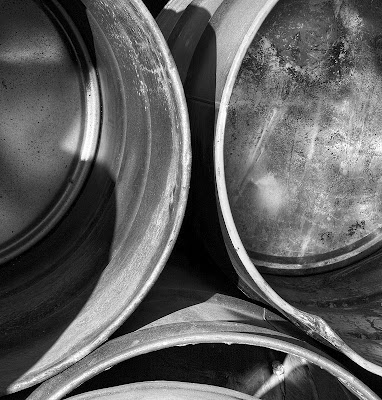
Oh, the image above is part of my drums series, three images differentially focussed and blended with Helicon Focus, converted to black and white in Photoshop (there wasn't a lot of colour to filter), and substantial dodging and burning. I used Akvis Enhancer on the image with considerable advantage.

 Posts


